Paloma365

The "Self-service kiosk" moduleSelf-service kiosk: order and pay without a cashier or queues

The guest picks items, pays and gets an order number. The order goes to the kitchen instantly, and the order-ready board shows when to collect it. For retail and food service.

  • Self-service ordering and payment — no cashier, no queues
  • The order is sent to the kitchen instantly
  • Order-ready board — the guest knows when to collect

Works on a ready kiosk stand or on a regular tablet. 15 days free.
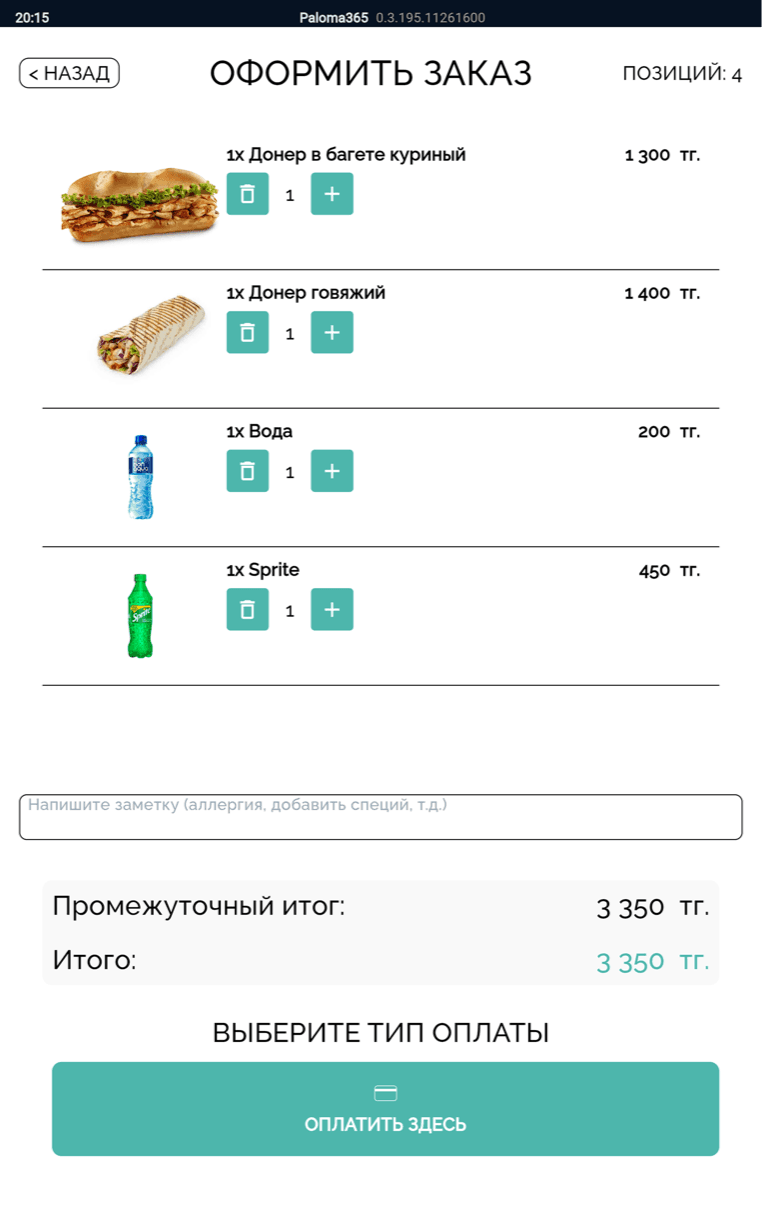
Paloma365 self-service kiosk screen: placing an order and paying

Set up a self-service kiosk

Leave your contact — we will show you how it works and help you set it up.

Country code: +7

By clicking the button, you agree to the personal data processing terms.

Flow without delays

No cashier, no queues — the order goes straight to the kitchen

  • No cashierThe guest picks items and pays on their own — no staff needed to take the order.
  • No queuesSeveral kiosks unload the flow at peak times — guests do not crowd the counter.
  • Straight to the kitchenA paid order goes to the kitchen display instantly — cooked without delays.

A kiosk that sells on its own

The kiosk attracts and sells by itself

When idle, the screen rotates your promos, new items and combos — the showcase draws the guest in and lifts the average check.

Paloma365 kiosk screen with a bright combo promo — a showcase that attracts the guest and lifts the average check
🎬 Promo video
🍔 Top items
📈 Upsells

Payment

Accept payments through your bank

The sale amount goes to the bank terminal automatically — card and QR payments with no manual entry. The POS runs right inside your bank’s acquiring terminal.

Not just special hardware

A ready stand or a regular tablet

A ready kiosk stand or the same interface on a regular tablet (iPad/Android) — they work identically. Start with what you already have.
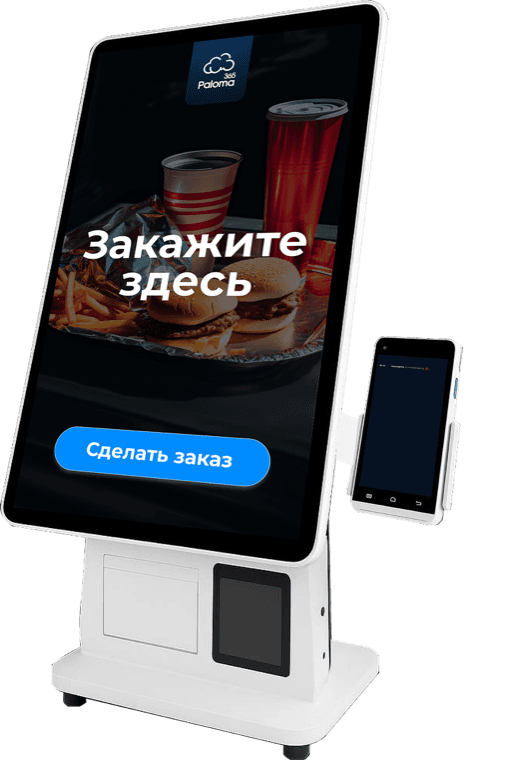
Paloma365 self-service ready kiosk stand with a large touchscreen

Ready kiosk stand

The same Paloma365 self-service kiosk interface on a regular tablet

Module on your tablet

How the kiosk works

A real interface at every step

From the guest’s order to the ready dish on the board — at every step you see a real Paloma365 screen, not a picture.
1Order and payment

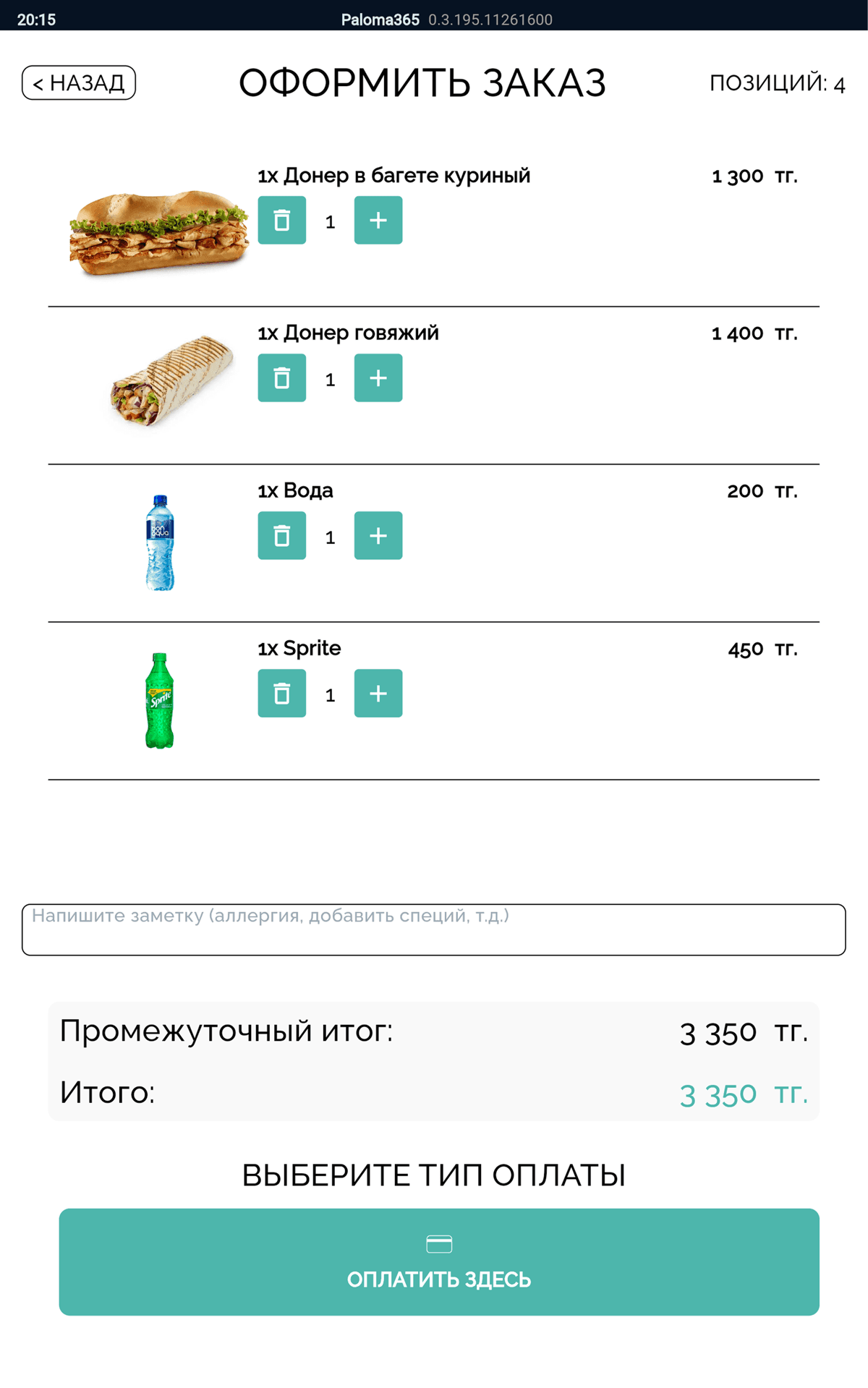
The guest builds the order and pays by card or QR

  • Order contents and total — right on the screen
  • Payment by card or QR — no cashier
  • After payment the order goes to the kitchen
Paloma365 self-service kiosk screen: contents, total and payment
2Sent to the kitchen

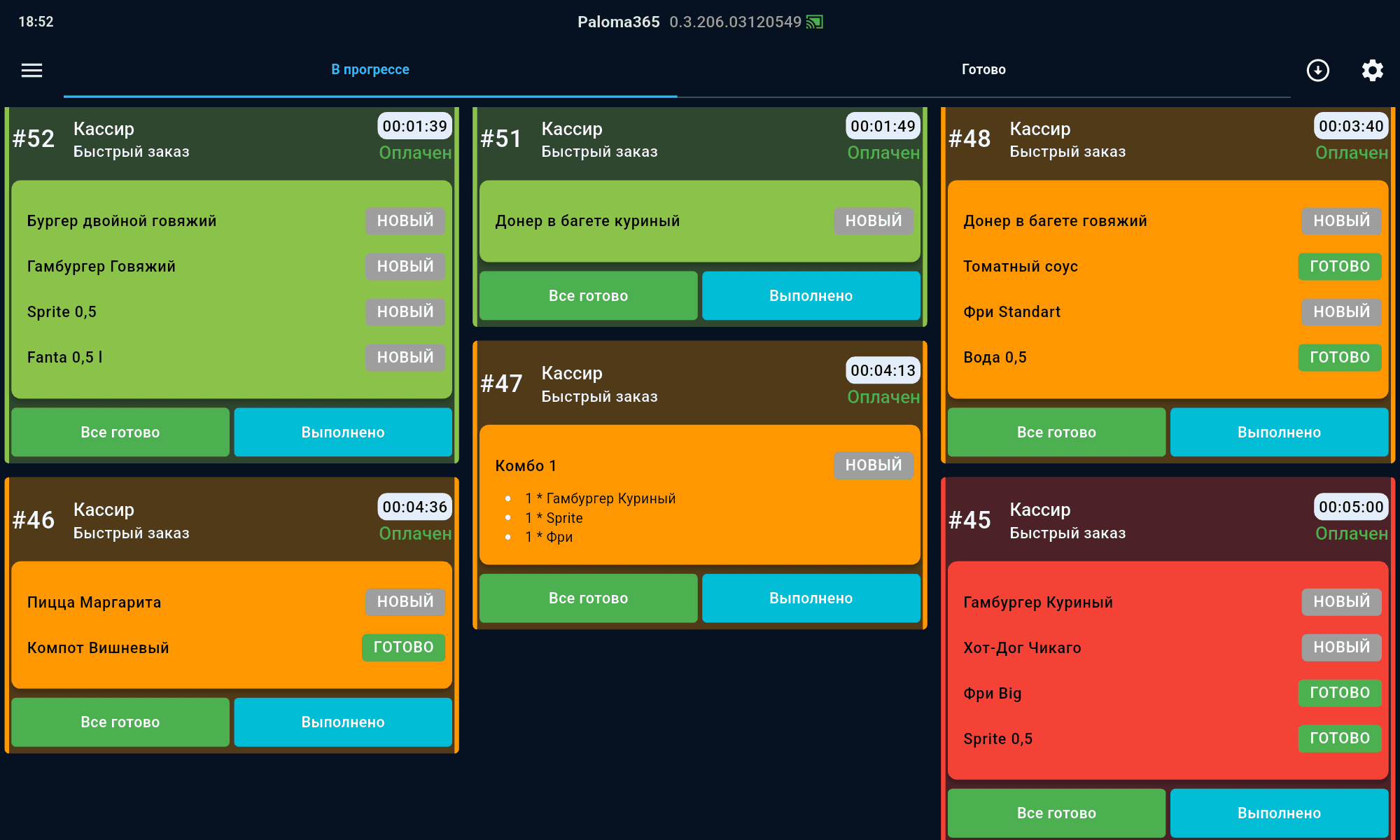
The kiosk order goes to the kitchen instantly

  • A paid order is sent to the kitchen at once
  • The cook sees what to make — no tickets, no cashier
  • The whole venue is linked in one system
Paloma365 kitchen display (KDS): kiosk orders by station
3Order-ready board

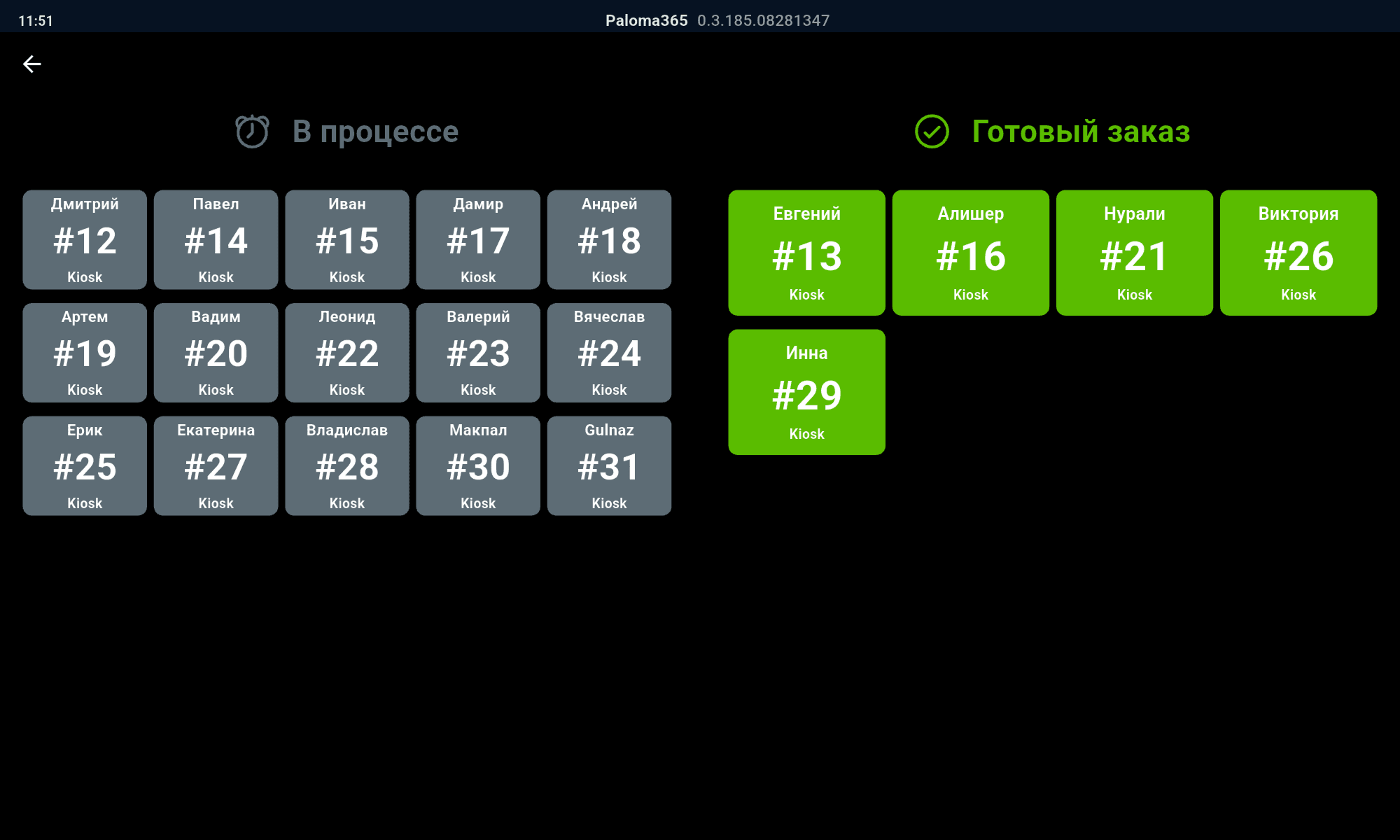
The guest sees their number: "in progress" and "ready"

  • Every order has a number — the guest tracks theirs on the board
  • The "in progress" and "ready" columns — status is visible at once
  • The guest knows when to collect the dish — no waiting at the counter
Paloma365 order-ready board: "in progress" and "ready" orders by number

The result for the venue

Why a kiosk pays off

Fewer queues

Guests order on their own — the counter does not build a queue at peak times.

The cashier is free

Ordering and payment go through the kiosk — staff do not stand at the counter.

Faster to the kitchen

The order goes to the kitchen right after payment — with no delay.

Clear to the guest

A board with a number — the guest sees when to collect the dish.

Support

Fast answers — every issue resolved

Real Paloma365 specialists — no bots, no endless hold music. We help with rollout, day-to-day POS work, settings, and hardware.

08:00 – 01:00

Every day, no days off

Minutes

WhatsApp, Telegram, and phone

  • We reply on WhatsApp, Telegram, and phone — usually within minutes
  • From receipts and reports to integrations, equipment, and new locations
  • Available every day, 08:00–01:00 — including weekends and holidays
  • With you at every stage: launch, staff training, and changes on site
Contact support

FAQ about the self-service kiosk

The self-service kiosk suits retail and food service. The guest picks and pays for the order on their own — no cashier, no queues.
After payment the order is sent to the kitchen instantly — the cook immediately sees what to make, with no tickets and no cashier involved.
The order-ready board shows each order’s status with a number. The guest sees their order in the "in progress" and "ready" columns and knows when to collect the dish.
No. The same interface runs on a regular tablet (iPad/Android) or on a ready kiosk stand — start with what you already have.