
Self-service kiosk
The guest orders and pays on their own — no cashier, no queues. The order goes to the kitchen instantly, and the board shows when to collect it.
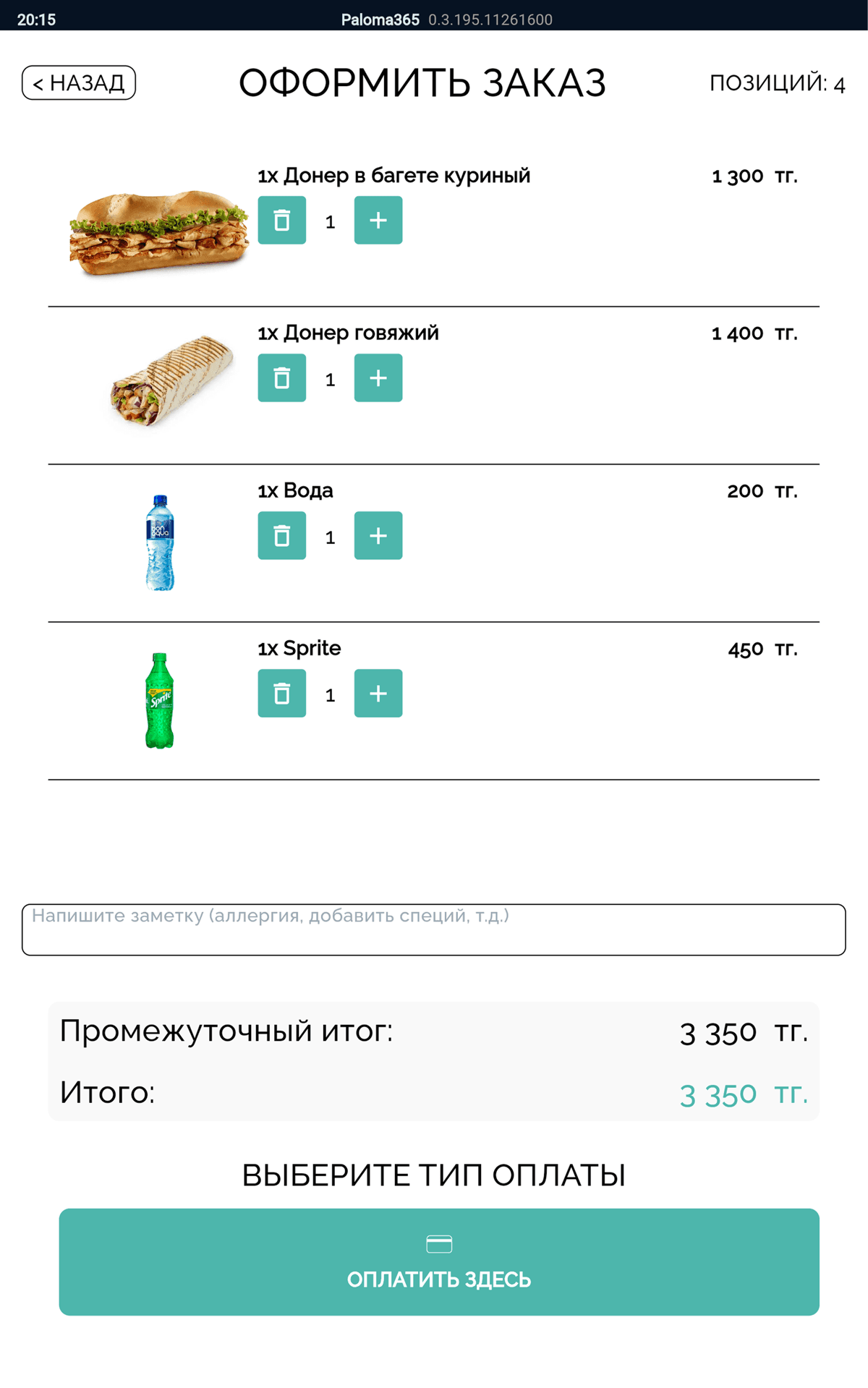
Self-service kiosk, kitchen display and stations, combos and modifiers, order-ready board and payments — the entire fast-food flow in one system.
15 days free. No expensive hardware required.
Leave your contact — we will show you the system and help you set it up.
How the flow works
From order to pickup: counter or kiosk, kitchen and stations, payment and the order-ready board — no paper tickets, no extra fuss.
Counter or self-service kiosk — ordering without a queue or a cashier.
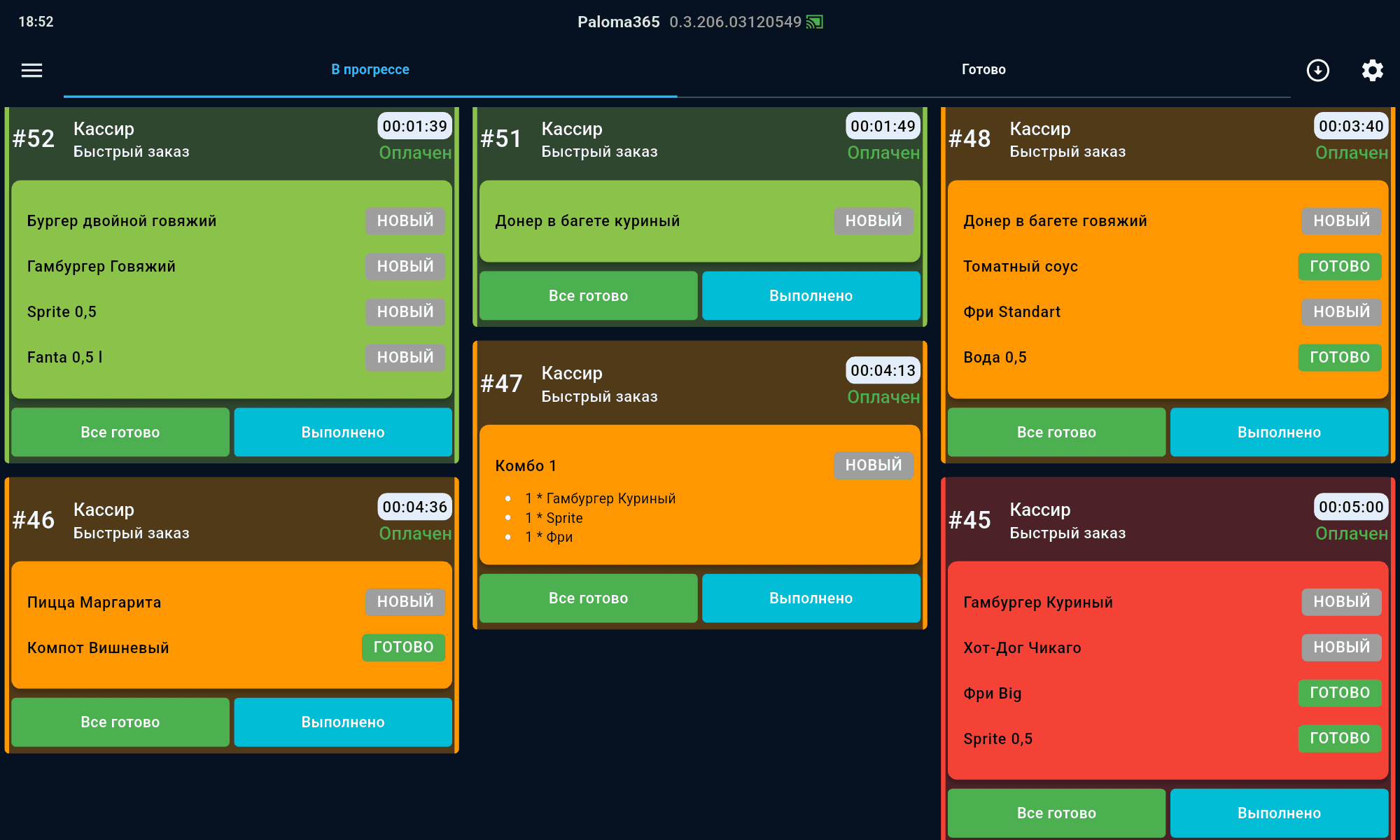
The order lands on the kitchen display (KDS) and is routed across stations.
Combos in one tap, payment by card or QR — the amount goes to the terminal.
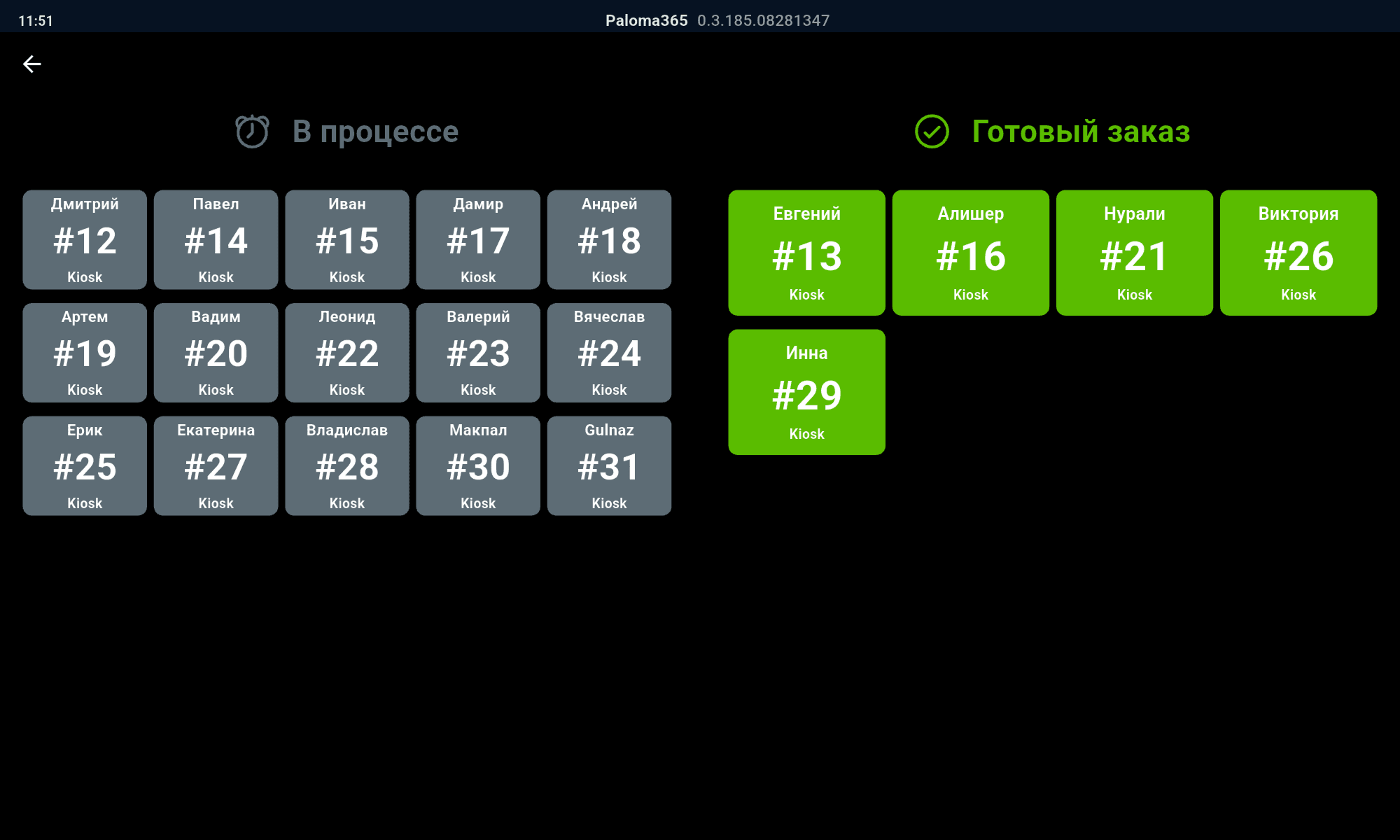
The guest sees the order number on the board — pickup without a crowd.
More than a POS
Self-service, readiness, kitchen, combos, QR menu and loyalty — so the guest gets the order faster and comes back again.
The guest orders and pays on their own — no cashier, no queues. The order goes to the kitchen instantly, and the board shows when to collect it.
An "in progress / ready" screen with numbers in the dining area — the guest knows when to collect, and staff are not distracted.
The order is routed across stations (kitchen, grill, drinks) and shown on the kitchen display — no paper tickets, with readiness priority.
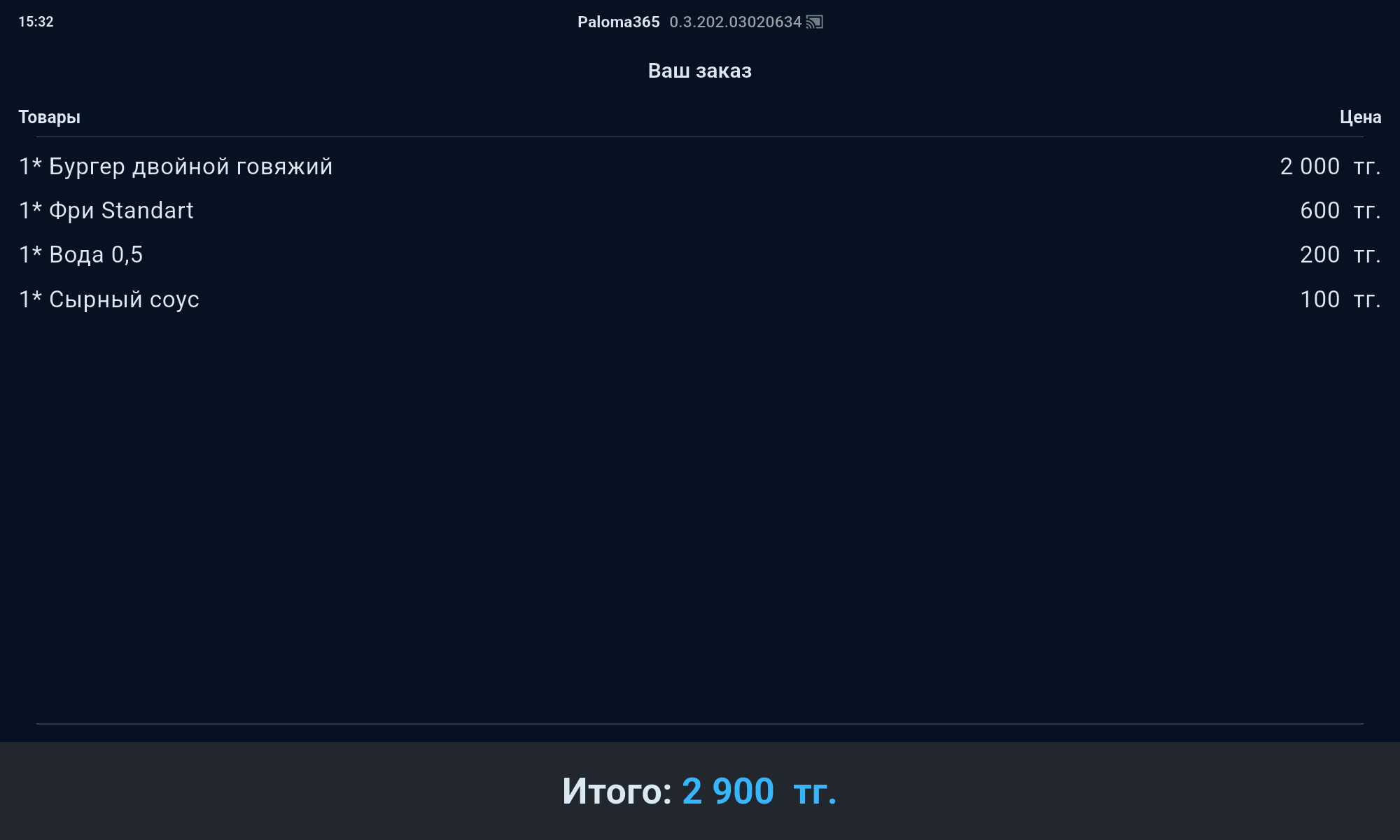
A second screen shows the guest the order contents and total — fewer mistakes and disputes, and payment goes through faster.
The guest scans a QR at the table or for takeaway — sees dish photos, orders and pays on their own. Less load on the counter at peak times.
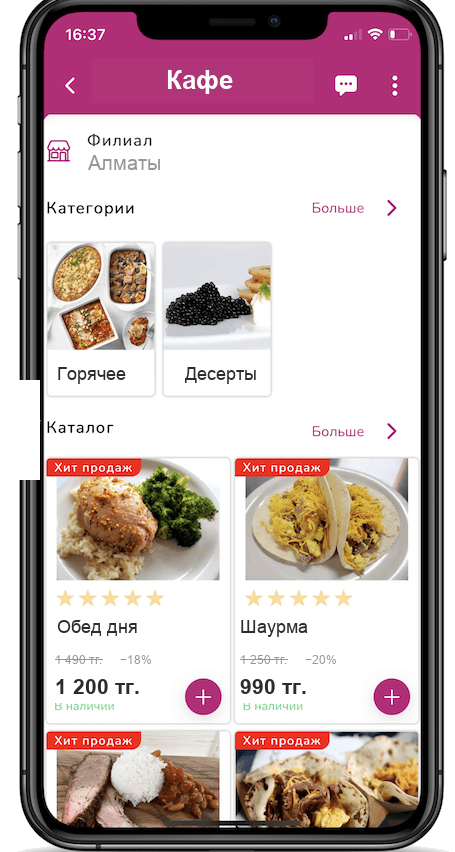
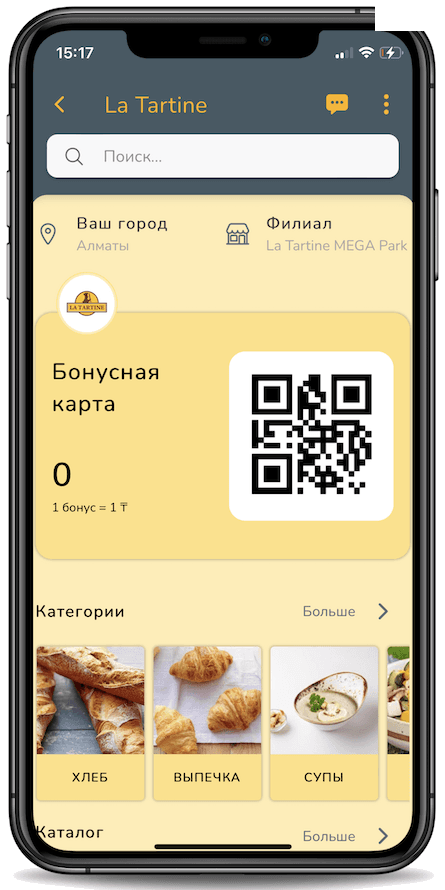
Your own branded app with bonuses, promos and push notifications — brings guests back and grows repeat orders and average check.
Combo sets in one tap and modifiers (sauce, size, "no onion") — fast ordering and accurate cost via recipe cards. Upsells ("sauce?", "make it larger?") are offered automatically at the counter and kiosk — the average check grows without a tired cashier.
A kiosk that sells on its own
While no one is at the kiosk, the screen rotates your top promos, new items and combos — video or images. A bright showcase draws the guest in and lifts the average check, while upsells are offered right during ordering.

When idle, the kiosk shows your clips and special offers.
Bright dish images catch the eye and spark appetite.
The kiosk offers a sauce, a drink or a combo — the average check grows.
Fast food delivery
Launch your own delivery with couriers managed by Paloma365 — orders drop into their app automatically. Already working with popular delivery aggregators? We connect them — orders arrive straight into the system, with no manual re-entry.
Payments and accounting
The sale amount goes to the bank terminal automatically — accept card and QR payments with no manual entry. The POS runs right inside your bank’s acquiring terminal, and sales and inventory data don’t need to be transferred by hand.
Queues and chaos at peak times
The self-service kiosk and a fast checkout unload the counter, and the order-ready board removes the crush at the stand — guest flow moves faster.
The kitchen gets confused by orders
The kitchen display (KDS) and station routing (kitchen, grill) show what to cook and in what order — with no paper tickets.
Ringing up combos and add-ons takes long
A combo is built in one tap, and modifiers (sauce, size, "no onion") are picked instantly and sent to the kitchen.
I can't see the cost of sets
Recipe cards calculate the cost of combos and dishes, and ingredients are written off from stock automatically.
Is it expensive for a fast-food spot?
You can start on a smartphone or tablet and pick a plan to match your size — 15 days free to test everything. Current pricing is on the pricing page.
Do I need delivery?
You can launch your own delivery or connect popular aggregators — orders land in the system automatically.
Support
Real Paloma365 specialists — no bots, no endless hold music. We help with rollout, day-to-day POS work, settings, and hardware.
08:00 – 01:00
Every day, no days off
Minutes
WhatsApp, Telegram, and phone