
Stock takes in Paloma365 tighten on-hand counts without shutting down aisles longer than necessary.
Loading…
Still counting manually during stocktakes?
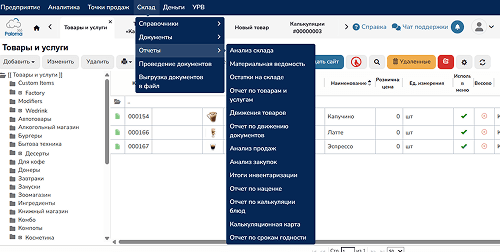
Stock takes in Paloma365 tighten on-hand counts without shutting down aisles longer than necessary.
Variance notes, recounts, and approvals stay attached to SKU-level evidence for audits.
Align policies and approvals with support before closing your first fiscal period.
Deliberately mobile ergonomics tuned for scanners, gloves, aisle lighting.
No need to shut the store to recount. The moment you create a stocktake document, Paloma365 records the start time, and every sale, receipt, and write-off after that is counted automatically — so the result stays correct while you keep trading.
At 10:00 an item shows 100 units in stock. Between 10:00 and 10:30 you sell 8. You count 92 on the shelf — after posting, the system adds the sales made after the start, so there's no discrepancy.
Count each item only once.
Deliberately mobile ergonomics tuned for scanners, gloves, aisle lighting.
Also:
Aggregator orders, courier SLAs, and POS telemetry stay on one rails.
Explore →Integrated VAT scaffolding for IPs operating Kazakhstan compliance rails.
Explore →Honor marketplace KPIs thanks to instantaneous stock truth injection.
Explore →>3M priced references accelerate onboarding with sane defaults.
Explore →Service BOH telemetry + guest journeys without juggling siloed tooling.
Explore →Owner-grade alerts covering revenue deltas, SKU cliffs, fraud heuristics.
Explore →